RAGDOLL BEASTS Guides
Deep tutorials for the Roblox ragdoll fighter — from first punch to map-edge throws.
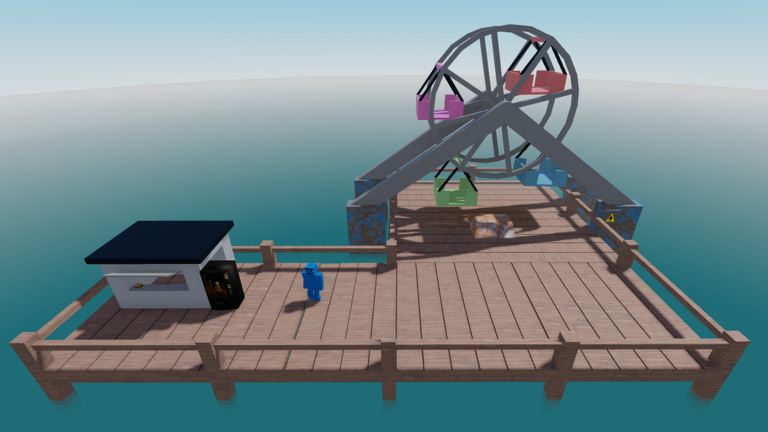
Welcome to the guides hub for RAGDOLL BEASTS, the Roblox ragdoll combat experience by skulltrident. Matches are short, chaotic, and physics-heavy: tap to punch, hold to grab, protect your head, and throw knocked-out players off the map. This hub collects every walkthrough on the wiki so you can jump straight to the mechanic you need.
Start here if you are new
- Getting Started — join flow, matchmaking notes, first-match checklist, and what “in testing” means for balance.
- Controls — PC mouse/keyboard, controller bumpers, and the punch-versus-grab rule explained with a full input table.
- Combat Tips — spacing, camera aim, head collisions, and how to stay standing when the lobby turns into a pile.
Advanced how-to guides
- How to Climb — jump plus alternating left/right grabs to scale ledges and escape edge pressure.
- How to Knock Out — head trauma rules, heavy object hits, and finishing throws that secure the elimination.
Each guide is written for search intent (how to play, how to grab, how to climb, how to throw) and cross-links to the Codes, Scripts, Tier List, and Updates hubs so you never hit a dead end.
What makes RAGDOLL BEASTS different
Unlike sandbox ragdoll labs that spawn dummies for experiments, RAGDOLL BEASTS is a PvP battlegrounds loop. Servers cap at 10 players. A fast connection matters — the official description warns that lag ruins grab timing. Matchmaking can take longer when the concurrent count dips, which is normal for a title still marked as testing.
Core rules from the developer description:
- Knock out enemies, then throw them off the map.
- Press once to punch; hold to grab. Your ragdoll aims where you look.
- Anything heavy and fast that hits your head can knock you out.
- Climb by holding Jump and alternating left/right hand grabs.
Internalize those four lines and every guide below becomes easier to apply mid-fight.
Recommended learning path
Session 1: Read Getting Started and Controls. Spend one full match only practicing tap punches and camera aim. Do not chase fancy climbs yet.
Session 2: Drill grab holds and short throws in the middle of the arena. Open Combat Tips and focus on protecting your head from flying props.
Session 3: Learn climbing routes from How to Climb so you can reset fights on high ground. Finish with How to Knock Out so eliminations stick.
Session 4: Compare your habits against the technique tier list and skim Updates for the latest testing notes.
Videos on this wiki
Guides may embed one real YouTube video mid-article. We never invent video IDs. The Getting Started page features community gameplay of RAGDOLL BEASTS so you can see punch-grab timing before you queue in.
Related hubs
- Players — community habits, etiquette, and what high-level lobbies look like.
- Official Links — Roblox game page and group references.
- Codes — promo status when developers drop rewards.
Bookmark this Guides hub. When new maps, weapons, or movement tech appear during testing, new child pages will land here first.
Frequently Asked Questions
Quick answers for RAGDOLL BEASTS players.
Which guide should I read first?
Start with Getting Started, then Controls. Those two pages cover join flow, inputs, and the punch-versus-grab rule.
Do these guides work on mobile and console?
Yes. The Controls page maps actions to mouse, keyboard, and controller bumpers. Touch layouts mirror the same punch and grab ideas.
Is RAGDOLL BEASTS finished or still in testing?
The official Roblox page marks the game as currently in testing. Expect balance changes — check Updates after each publish.
Where can I see real gameplay?
Open the Getting Started guide for an embedded community video, or launch the game directly from the Official Links page.