RAGDOLL BEASTS Controls
Every official binding — punch taps, grab holds, jump climbs, and camera aim rules.
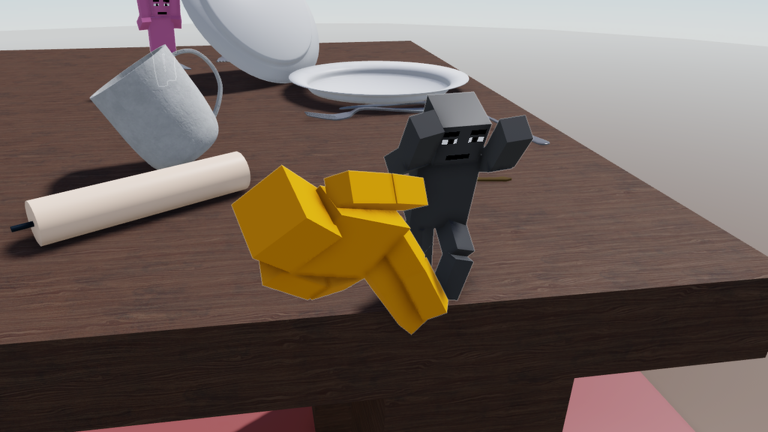
Mastering RAGDOLL BEASTS starts with the input model printed on the official Roblox description. Hands are not separate “attack skills”; they are physics limbs that punch on tap and grab on hold, always aiming where you look. This controls guide expands those developer lines into a practical chart for PC and controller players, then explains the climb macro that separates survivors from easy knockouts.
Official bindings (from the game description)
| Action | PC | Controller |
|---|---|---|
| Use Left Hand | Left Click or Q | Left Bumper |
| Use Right Hand | Right Click or E | Right Bumper |
| Jump | Space | Button A |
Those three rows are the entire published control set. Movement uses standard Roblox WASD / left stick. Camera uses mouse or right stick. There is no separate block button in the official text — defense is positioning, ducking with camera, and not offering your head to heavy props.
Punch versus grab (the golden rule)
- Press once → punch.
- Hold down → grab.
- Your ragdoll aims where you are looking.
That means camera discipline is part of the control scheme. If you look at the floor while mashing, you punch the floor. If you look at a stunned player’s torso and hold, you clamp on for a throw. Practice flicking the camera to the head or hips before you commit the input.
Training drill (2 minutes)
- Stand still in a quiet corner of the map.
- Tap left hand ten times while tracking a distant prop with the camera.
- Hold right hand and drag the same prop if the map allows grabs on objects.
- Alternate Q and E (or bumpers) without moving your feet until the rhythm feels automatic.
Do this before ranked-feeling lobbies. Muscle memory here transfers directly into the combat tips spacing game.
Climbing controls
The developer description states you can climb by holding Jump and alternating Left/Right hand grabbing. In practice:
- Walk up to a ledge, crate stack, or wall lip.
- Hold Jump (Space / A).
- Alternate left and right hand grabs (Click/Q ↔ Click/E, or LB ↔ RB).
- Keep looking slightly upward so grabs catch the next lip.
Failing the alternate rhythm makes you stall and eat a free hit. Full route advice lives in How to Climb. Treat this section as the input recipe only.
Controller specifics
Controller players should:
- Bind camera sensitivity high enough to track falling bodies mid-throw.
- Use bumpers for hands exactly as published — do not remap to face buttons if it slows alternating climbs.
- Hold the grab bumper firmly; light taps still register as punches and waste the knockout window.
If your pad supports hair-trigger settings, a medium threshold helps separate tap punches from accidental grabs.
Mobile touch notes
Roblox mobile layouts vary by device, but the same logic applies: one tap on a hand button punches, holding that button grabs, and the jump button combines with alternating hand holds to climb. Enable any available camera lock so your punches follow look direction instead of stick drift.
Common control mistakes
- Mashing both hands at once and losing the ability to climb cleanly.
- Looking away while holding grab, which yanks you off-balance.
- Jumping without alternating hands and calling the climb “broken.”
- Playing on extreme sensitivity so micro-aim toward heads becomes impossible.
- Confusing this scheme with boxing games that use separate hook / uppercut modifiers — RAGDOLL BEASTS keeps it to tap vs hold.
How controls connect to knockouts
Anything that collides with your head — especially heavy and fast objects — can knock you out. That is why camera aim matters twice: once to land your own punches on their head, and once to see incoming props. Pair this page with How to Knock Out after you can punch and grab without thinking.
Practice plan
- Warm up with the 2-minute tap/hold drill.
- Queue one match focused only on camera aim (Getting Started checklist).
- Queue a second match focused on one clean climb escape.
- Review the tier list to see which input habits sit in S-tier.
When patches change bindings, we will note them on Updates. Until then, memorize the official table above and let physics do the flashy work.
Frequently Asked Questions
Quick answers for RAGDOLL BEASTS players.
How do I grab instead of punch?
Hold the hand input instead of tapping it. Left Click/Q or Right Click/E on PC; bumpers on controller.
How does aiming work?
Your ragdoll aims where you look. Move the camera to the target before you punch or grab.
How do I climb walls or ledges?
Hold Jump and alternate left and right hand grabs while looking upward. Details are in the climbing guide.
Is there a block button?
The official description does not list a block control. Defense comes from spacing, camera awareness, and avoiding head collisions.